Every retailer knows the sinking feeling of selling something that is not actually in stock. A customer pays, the staff search the shelves and nothing is there. The system said five. The shelf said zero.
That gap between recorded stock and real stock is the quiet cost of poor inventory control: lost sales, dead stock, wasted staff time and unreliable purchase decisions. When ready-made tools cannot keep up with your counters, stores or warehouse, many businesses start looking at retail inventory management software development. This guide explains what such a project involves and how to plan it sensibly.
Why Stock Records Drift Away From Reality
Before building anything, it helps to understand why numbers go wrong:
- Manual entry. Typing purchases and adjustments creates errors and delays.
- Disconnected counters. Sales at one counter do not update another.
- Returns and damages. These are often recorded late or not at all.
- Transfers between stores. Items move without a clear record.
- No regular audits. Small differences grow unnoticed.
Good software cannot fix discipline, but it can make correct behaviour easier and mistakes visible.
When a Custom Inventory System Makes Sense
Ready-made inventory tools suit many retailers. Custom development is worth exploring when:
- You operate multiple stores or a store plus warehouse
- Your products have complex attributes such as size, colour, batch or expiry
- Your purchase, approval or pricing rules are unusual
- You must connect inventory with POS, accounting, e-commerce or supplier systems
- You want control over your data and how the system evolves
If your needs are simple, a ready-made product may be quicker and cheaper. A responsible development partner should say so.
Core Modules in a Retail Inventory System
Product master
The foundation. SKUs, categories, units, prices, tax details and variations must be clean, or everything built on them will be shaky.
Purchase and goods receipt
Purchase orders, supplier records and goods received notes keep incoming stock accurate and traceable.
Stock movement
Sales, returns, adjustments, damages and transfers between locations should all leave a record.
Reorder levels and alerts
Set minimum levels so the system can flag items that need replenishment.
Stock audits
Counting tools help compare physical stock with system stock and record differences with reasons.
Reports
Stock on hand, fast and slow movers, ageing stock and location-wise summaries help purchase decisions.
Users and permissions
Different roles need different access. For example, a counter user should not be able to adjust stock without approval.
Barcode Scanning and Labels
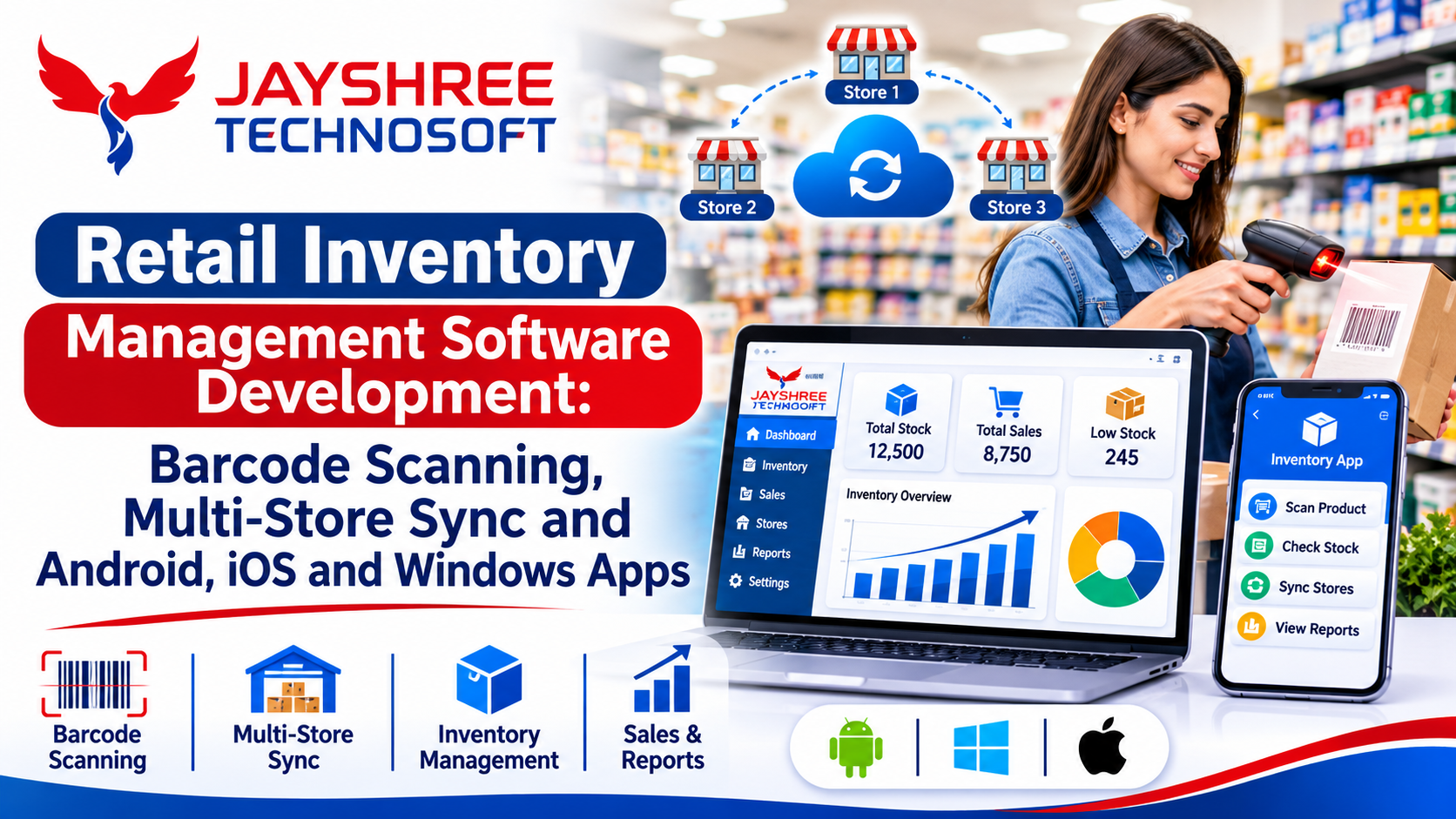
Barcodes reduce typing mistakes and speed up billing, receiving and audits. Plan these details early:
- Barcode source. Will you use manufacturer barcodes, your own labels or both?
- Label printing. Which printers and label sizes will you use?
- Scanner types. Handheld scanners, mobile camera scanning or fixed counter scanners behave differently.
- Items without barcodes. Loose or locally packed goods need another approach.
Test with real products. A barcode that scans easily on a desk may not scan well on a crumpled pack under shop lighting.
Choosing Between Android, iOS and Windows
Different roles in a retail business use different devices.
Windows often suits the billing counter, purchase desk and head office reports, where printers and larger screens help.
Android is common for handheld stock counting, receiving goods and shelf checks because devices are affordable and widely available.
iOS is popular with owners and managers who want to review stock levels and approve transfers from an iPhone or iPad.
Ask which role needs which device on day one. A phased plan is often wiser than building every platform at once.
Native, cross-platform or web-based?
- Native apps can use device features such as the camera and hardware closely, with more effort per platform.
- Cross-platform approaches share much code between Android and iOS, which can reduce effort, though some features may need extra work.
- Web-based interfaces simplify updates but depend on connectivity and browser capabilities.
The choice depends on devices, budget and performance needs, and should be decided during discovery.
Multi-Store Sync and Offline Behaviour
If you run more than one location, decide how data should flow:
- Does each store see only its own stock, or can staff check other locations?
- How are stock transfers requested, approved and received?
- What happens when the internet drops at a store?
Offline operation matters in many retail settings. The system may need to record sales and stock movements locally and sync later, with clear rules for resolving conflicts.
Integrations to Scope Separately
POS and billing. Sales should reduce stock automatically.
Accounting. Purchase and sales values may need to flow to your accounting tool.
E-commerce. Online and offline stock should not oversell the same item.
Suppliers. Order sharing or catalogue imports can save time.
Each integration adds effort and should be defined during scoping.
Practical Examples
A multi-branch clothing retailer needs size and colour variations, transfers between stores and seasonal reports.
A pharmacy chain needs batch and expiry tracking and workflows that respect applicable regulations, reviewed with a compliance advisor.
A hardware distributor may need unit conversions, bulk and loose quantities and supplier-wise purchase history.
A supermarket needs fast receiving, shelf audits and tight control on fast-moving items.
Benefits for Different Business Sizes
Small retailers can start with product master, purchase, stock and basic reports.
Mid-sized businesses benefit from fewer manual steps, shared records and clearer purchase planning.
Multi-location retailers gain central visibility, controlled transfers and consistent processes.
How the Development Process Usually Works
- Discovery: study stock flows, devices, roles and pain points.
- Scope and roadmap: define modules, integrations, platforms and phases.
- Design: plan screens for counter, receiving and audit tasks with the people who will use them.
- Build and test: develop in stages and test with real products, barcodes and scenarios.
- Data migration and rollout: clean existing data, pilot in one location and train staff.
- Support and improvement: products, rules and channels change, so plan for ongoing updates.
How Jayshree Technosoft Can Help
Jayshree Technosoft LLP is a Jaipur-based IT services and software development company offering custom software development, web and mobile application development, ERP and CRM development and business process automation. For a retailer, that means a conversation starting from your stock flows and devices, not from a fixed product.
If you are considering a custom inventory, purchase or retail management application across Android, iOS and Windows, bring your current process, location setup and integration needs. Technology choices, timelines and costs depend on scope and should be confirmed with the team.
Questions to Ask a Development Partner
- Have they built business applications of similar complexity?
- How will they handle offline operation and sync?
- How do they test stock calculations and barcode behaviour?
- Who owns the source code and data?
- What support is available after launch?
- Can the system work with the tools you already use?
Conclusion
Accurate inventory is not glamorous, but it quietly supports everything else: sales, purchasing, cash flow and customer trust. If stock keeps drifting away from reality across counters or stores, a carefully scoped custom system on the right devices can help.
Start with the problems that cost you most, build in phases and choose a partner who asks questions before writing code.
Planning a custom inventory or retail management application? Talk to Jayshree Technosoft about your requirements.
L. Five FAQs
1. What is inventory management software development? It is the design and building of software that tracks products, purchases, stock movement and reports around a business's own processes.
2. When should a retailer choose custom inventory software? Consider it for multiple locations, complex product attributes, unusual workflows or integrations that ready-made tools do not support.
3. Can an inventory app use barcode scanning on phones? Often yes, using the phone camera or a connected scanner, depending on device and requirements. This should be tested with real products.
4. Which devices should a retail inventory system support? Windows often suits counters and head office, Android suits handheld counting and receiving, and iOS suits owners and managers. A phased plan is common.
5. How do I start a project with Jayshree Technosoft? Contact the team through its website and share your stock process, locations, devices and required integrations.
#JayshreeTechnosoft #InventoryManagement #RetailTech #CustomSoftware #SoftwareDevelopmentIndia
inventory management system development, custom stock management software, barcode scanning app, multi-store inventory, retail ERP development, purchase and stock module, inventory mobile app, warehouse management software, stock audit app, supplier management software
Recent Articles
Property Management Software Development for Hotels: What to Plan Before You Build
Restaurant Software Development: What to Plan Before You Build Android, iOS and Windows Apps
Custom POS Software Development for Retail Businesses: Features, Platforms and Planning